Work together, in one place
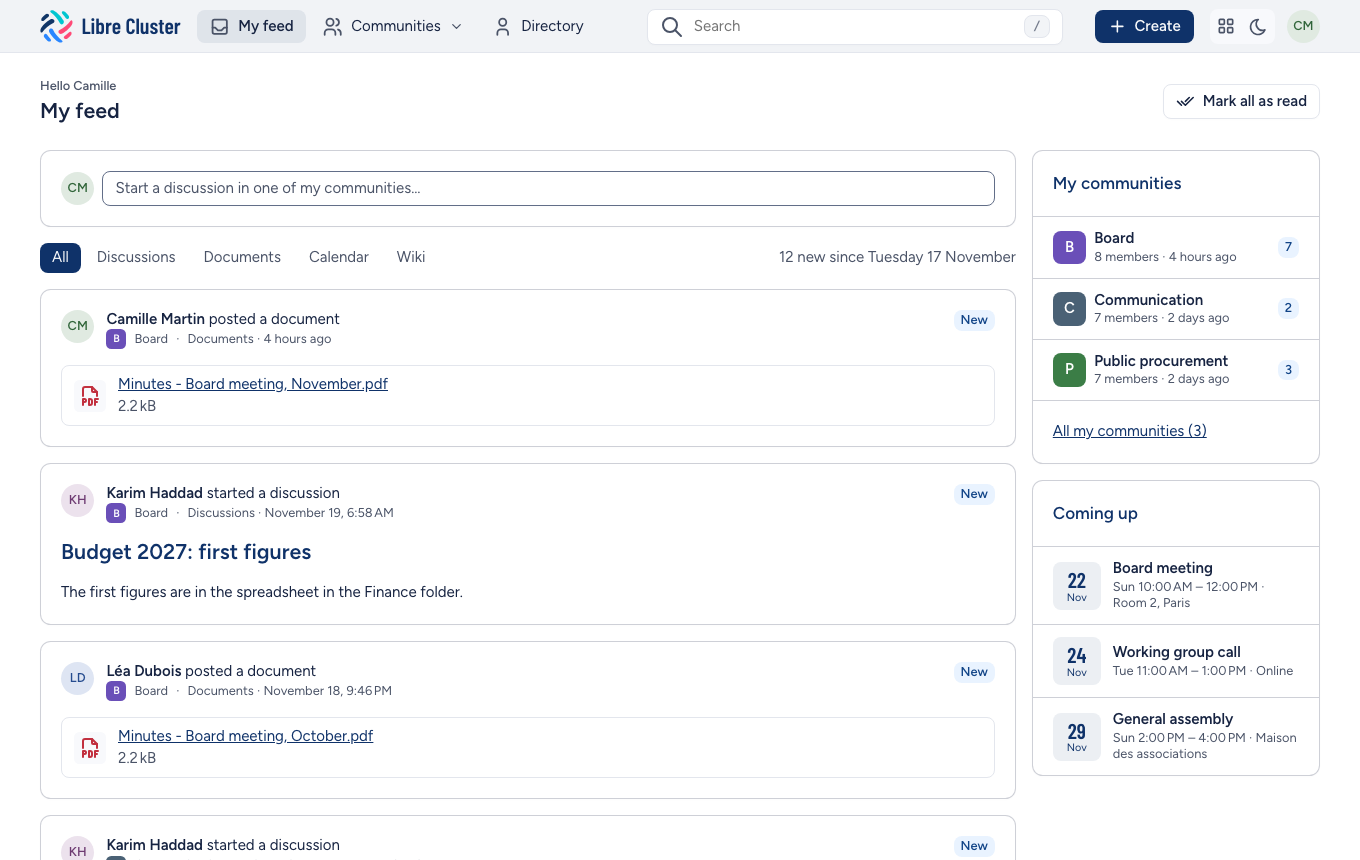
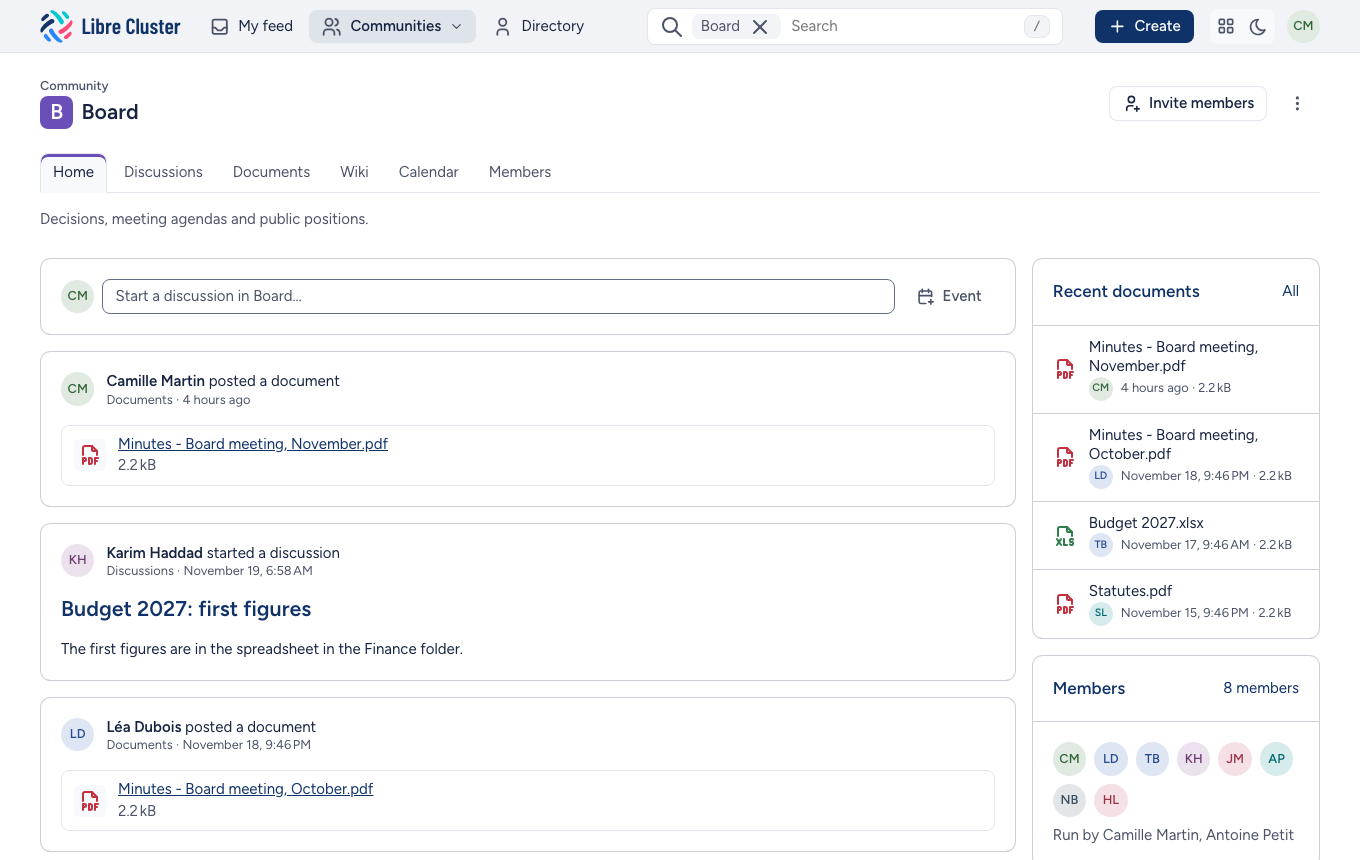
Abilian SBE gives every team, project or working group of your organisation a community: a shared space with its discussions, its documents, its wiki and its calendar. Members see what is new in one feed, find anything with one search, and invite the people they work with.
It runs on your own server, in your language, and it is free software.
Everything a group needs
-
Discussions
Start a thread, reply, attach files. Each member sees what they have not read yet, and can follow by e-mail.
-
Documents
Keep documents in folders, with previews, versions, comments and permissions per folder. Upload many at once, and find them by their content.
-
Wiki
Write pages in Markdown, linked by their titles, with a live preview, their history and their files.
-
Calendar
Plan the community's events, a month at a glance, with files and a discussion for each, and add any of them to your own calendar.
Built for the way groups work
One feed for everything new. My feed gathers what happened in every community you belong to, newest first, and marks what came since you last looked. A daily e-mail sums it up for those who prefer their inbox.
Communities that run themselves. Each community has managers, who invite members, choose its tools and decide whether others may find and join it. Site administrators are needed only for the site itself.
Find anything. The search bar suggests discussions, documents, pages and people as you type, and searches inside documents too.
A directory of people. Who is who, what they do and where, and the communities you share with them.
Who uses it
Abilian SBE has run in production since 2013, for clusters of companies, professional networks and associations, which use it as their extranet. Organisations that want their collaboration on their own infrastructure, under their own rules, and without per-user fees, use it in place of a hosted service.
Free and open source
Abilian SBE is free software under the LGPL v3, developed by Abilian. You can run it, study it, change it and share it. Its source code is on GitHub.
- Use it: the user guide walks through every tool.
- Run it: install it on a server, or on Hop3 in a few commands.
- Improve it: the developer guide explains how to build it and contribute.