Communities
A community gathers people around a shared purpose: a board, a project, a working group, a network of partners. Its home page shows what it is for, what is new, its recent documents and its members.
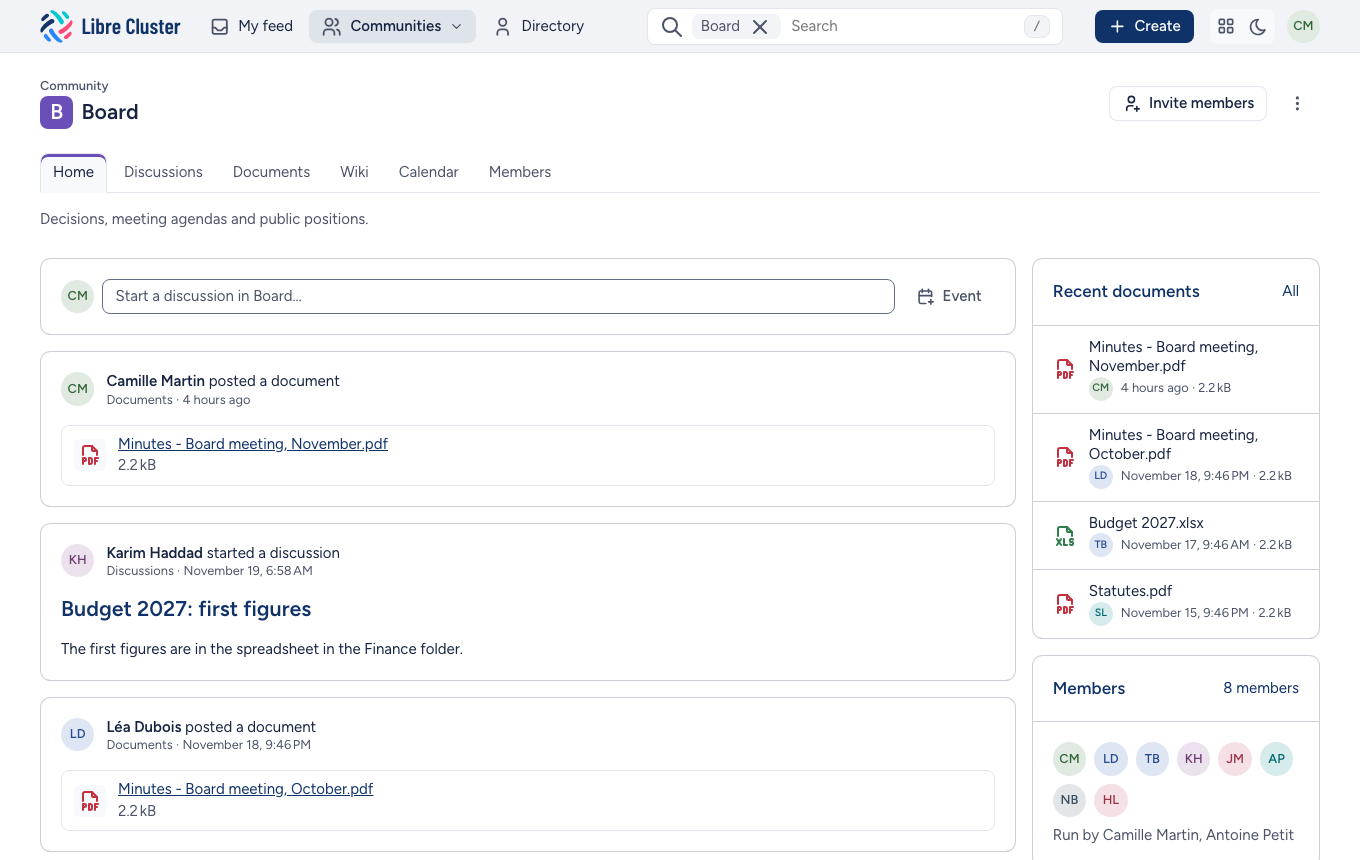
Its tools are tabs: Home, Discussions, Documents, Wiki, Calendar and Members. A community's managers choose which tools it uses.
Your communities
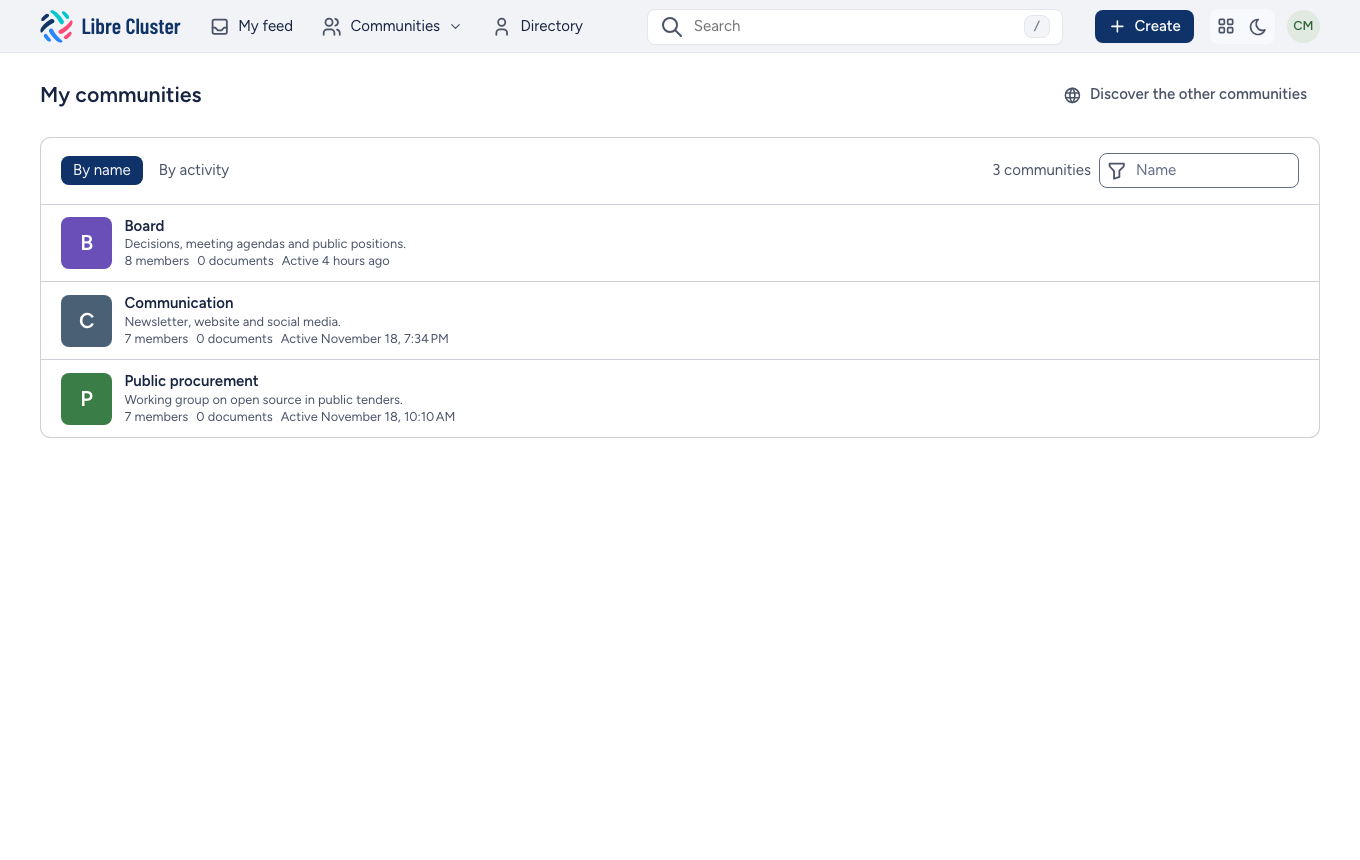
The Communities menu in the bar lists your communities, those with something new first. All my communities lists them all, by name or by recent activity, with a filter.
Joining a community
Most communities are closed: their managers invite their members. Some are open, and Discover the other communities, in the Communities menu, lists those you are not in yet.
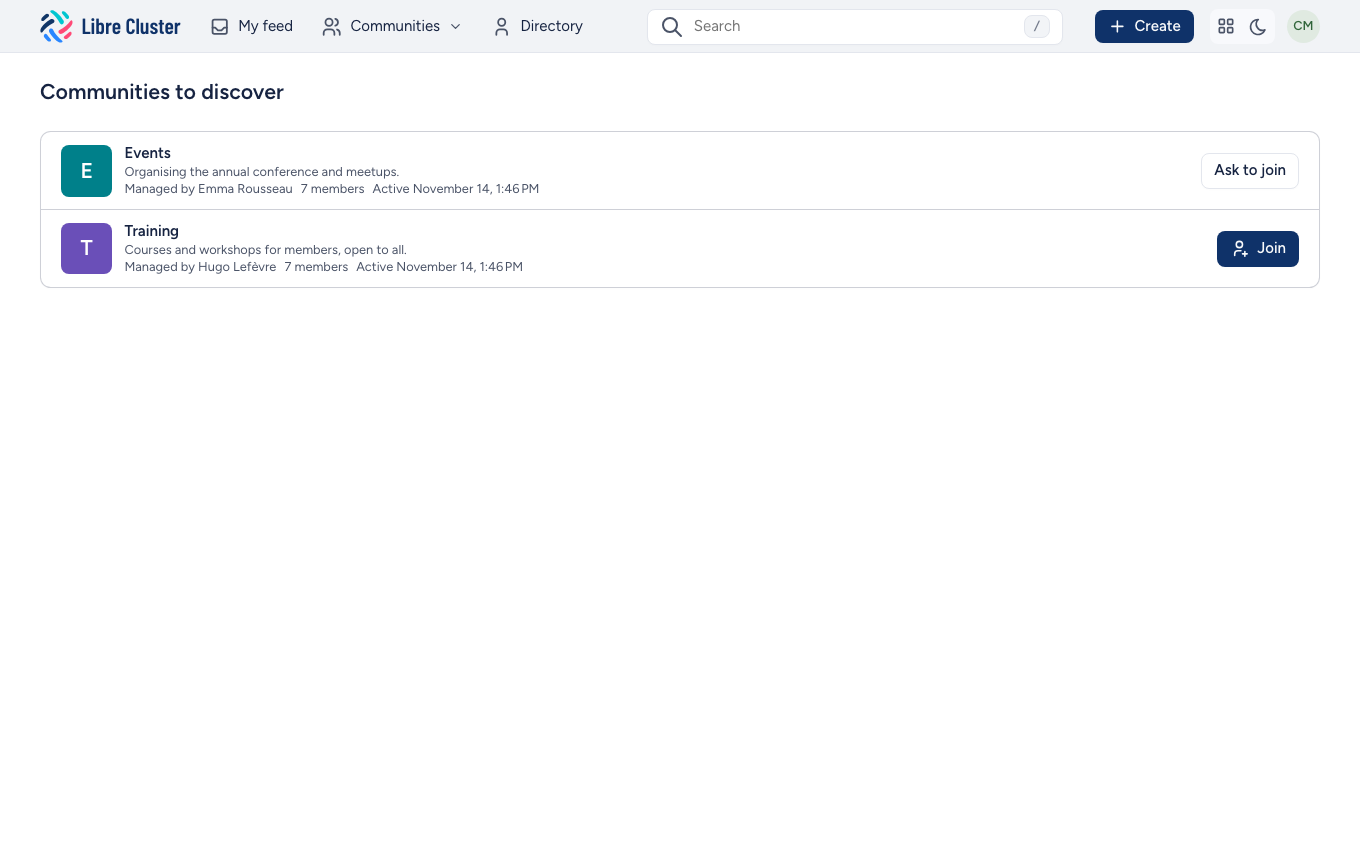
- Join makes you a member at once.
- Ask to join sends your request to the community's managers, who accept or refuse it.
Someone who is not a member sees a community's name, what it is for and its managers, never what it holds.
Members and roles
A community has two roles:
- Members take part: they read everything, start discussions, post documents and edit the wiki. In a community set to mostly read, only managers post documents and write to everyone by e-mail.
- Managers also run the community: they invite and remove members, change roles and edit its settings.
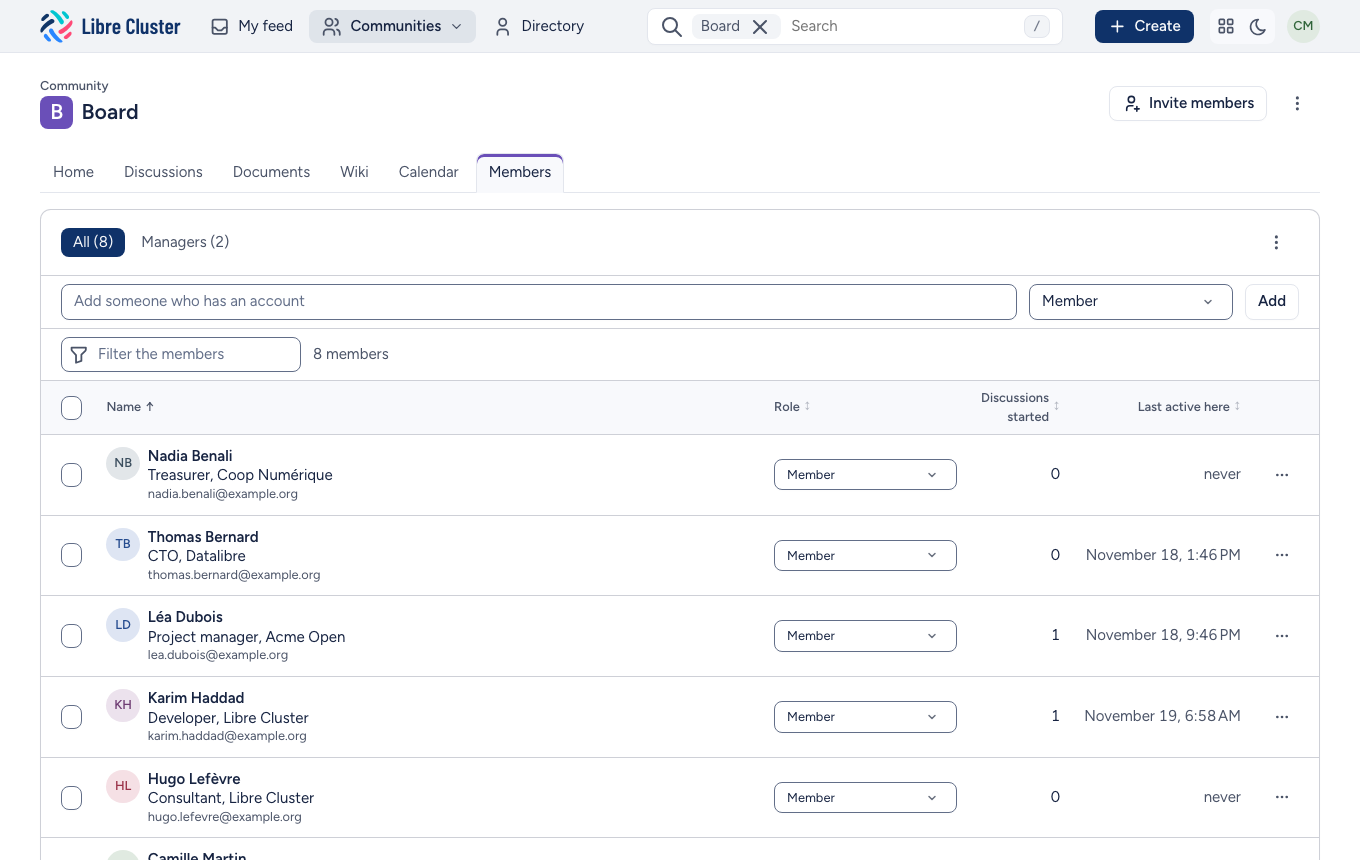
The Members tab lists who is in the community, their role and when they were last active. Managers change a role in place, or select several members to change or remove them at once.
Inviting people
Managers invite from any page of the community, with Invite members. Type or paste e-mail addresses: as you type, each address says what will happen to it. Someone who has an account is added and told by e-mail; someone who has none gets an account and an invitation, and gives their name when they choose their password. One role applies to all. You can add a word to go with the invitation.
To invite many people at once, import a spreadsheet (CSV): one person per line, with their address, their first and last names if you know them, and their role.
Settings
A community's managers change its settings from the ⋮ menu in its header:
- its name, what it is for and its image;
- whether its members take part or mostly read;
- its tools: discussions, documents, wiki;
- who joins: closed (only those invited), open on request, or open to all.
New communities are created by site administrators.